SEO

WordPress SEO in 2026: The 12 Settings That Still Matter

A lot of WordPress SEO advice is from 2018. A lot of it is wrong now. Here are the 12 settings that still actually move organic traffic in 2026, in rough order of impact.

The high-impact 6

  1. Title tag format. Site name first or last? Use %title% — %sitename% for content sites, %sitename% — %title% for brand-led sites. Set it in Yoast or RankMath, not in your theme.
  2. Canonical URLs. Self-referencing canonicals on every post and page. Especially important if your store uses filtered URLs that share content.
  3. XML sitemap with only indexable content. Strip out tag archives, attachment pages, and any noindex content. A clean sitemap helps Google prioritise the URLs you want indexed.
  4. Internal linking on cornerstone pages. Every important page should have at least three internal links from related content. This is the single highest-leverage thing you can do for an existing site.
  5. Schema on the right post types. Article schema on blog posts, Product on WooCommerce, FAQ where it genuinely applies. Skip schema you do not earn.
  6. Image alt text. Boring, important, still measurable. Write it for screen readers and Google reads it too.

The medium-impact 4

  1. Open Graph and Twitter Card metadata. Does not affect ranking but affects click-through from social shares. Same engineering effort, real conversion win.
  2. Robots.txt that does not block what you need indexed. Audit yours. Sites accidentally block their own assets every week.
  3. Breadcrumb schema. Visible breadcrumbs plus structured data. Earns the breadcrumb display in search results, modest CTR boost.
  4. 404 page that suggests next steps. Reduces bounce, signals the page is intentional rather than broken.

The low-but-still-worth-doing 2

  1. Hreflang for multi-language sites. If you have one language, skip this. If you have two or more, do it right.
  2. Last-modified headers. Helps Google crawl efficiently. Trivial to set up, no ongoing maintenance.

The things people still chase that do not matter

  • Keyword density. Has not been a real signal since approximately 2014.
  • Meta keywords. Ignored by every major search engine for over a decade.
  • Article word count as a ranking signal. Quality of coverage matters; absolute count does not.

Run through the 12 above. Most sites have 8 already and 4 they forgot. Fix the 4 and move on to writing the content that the next 5 will reward.
SEO

Schema Markup for WordPress: What Google Actually Reads in 2026

Schema.org has roughly 800 types. Google reads about 30 of them with any real effect on search results, and even that list shrinks every couple of years. Adding more schema does not earn more rich results. Adding the right schema for the right post type does. Here is what still earns rich results on WordPress in 2026, by post type.

Blog posts

Use Article (or BlogPosting as a subtype). Required for rich results: headline, datePublished, image, author. Google quietly stopped showing author photos in most results but still uses the field. Skip WebPage, CreativeWork wrappers — they add nothing.

WooCommerce products

Product with offer pricing, availability, and aggregateRating. Earns the product carousel and price-in-snippet. Skip the elaborate brand sub-schema unless your brand has a Wikidata entry — Google ignores it otherwise. Your Yoast or RankMath integration handles most of this automatically; verify it actually outputs by viewing the rendered JSON-LD.

Local business pages

LocalBusiness with full address, geo, openingHoursSpecification. Required for the local-pack inclusion alongside your Google Business Profile. Worth doing once, never again unless you move.

FAQ blocks

FAQPage still earns FAQ rich results, but Google narrowed eligibility in 2024. Only authoritative how-to or definitional content earns the slot now. Stuffing fake “FAQs” on a sales page no longer works and may actively hurt CTR by triggering nothing.

How-to content

Google quietly retired HowTo rich results for most queries. Keep the schema for accessibility and for the small percentage of queries where it still triggers, but do not expect the rendered “step-by-step” treatment anymore.

Reviews and ratings

Review and AggregateRating still earn stars in results for product, recipe, and business types. Strict rules: ratings must be on first-party content (your own page about your own product), not aggregated from elsewhere.

What to skip

  • Speakable for voice search. Never lived up to the promise.
  • Sitelinks searchbox for sites under ~5,000 indexed pages. Google rarely renders it.
  • Deeply nested schema (Article > author > Person > worksFor > Organization > ...). Past three levels Google appears to ignore the depth.

How to validate

Google’s Rich Results Test tool tells you what your specific page is eligible for. Do not trust the WordPress plugin output blindly — paste your URL into the tool, see which results actually trigger, prune the rest.

The win is not “more schema”. It is “less, correct schema”. A 2026 SEO win on WordPress almost never comes from adding markup. It comes from removing the markup that triggers nothing.

Scenic 3D Photo Parallax WordPress Plugin (Interface Elements)

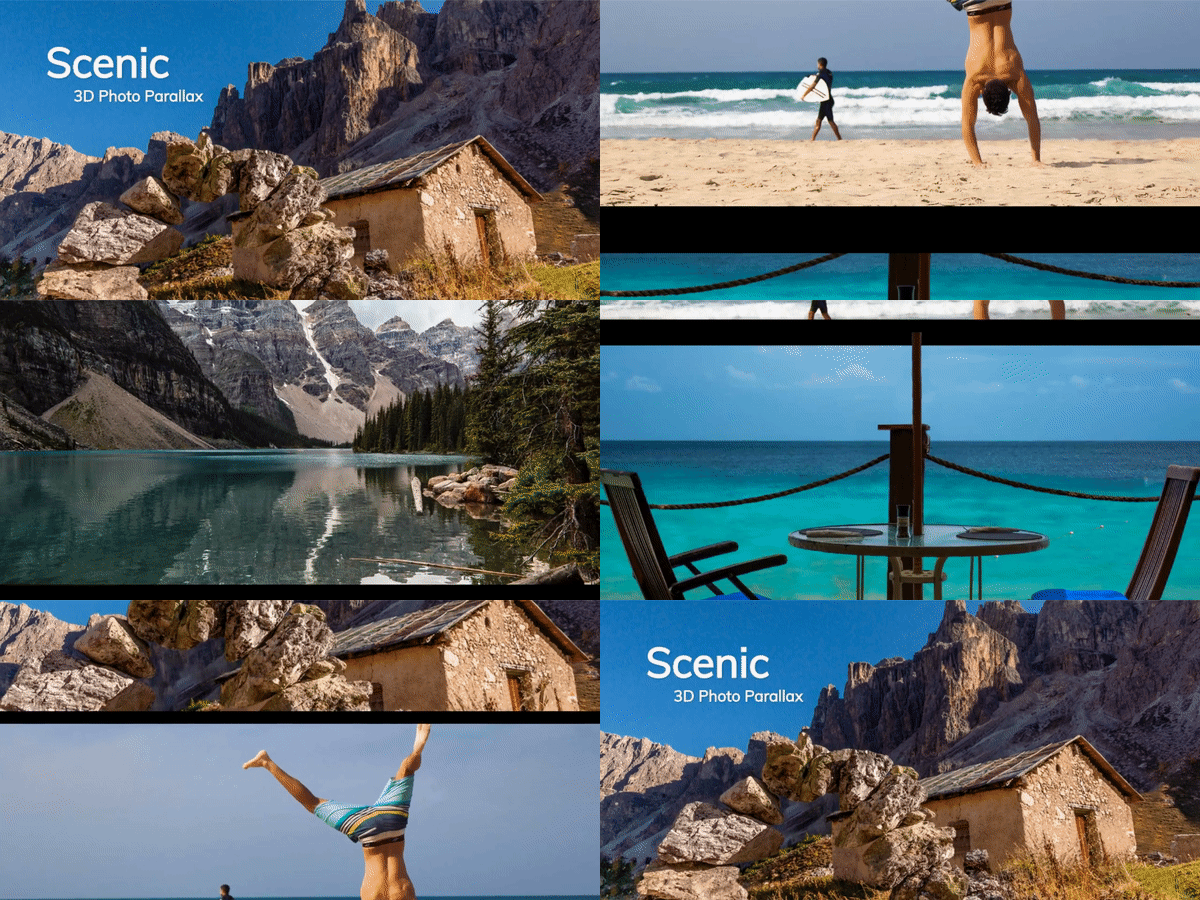
Scenic preview

Overview

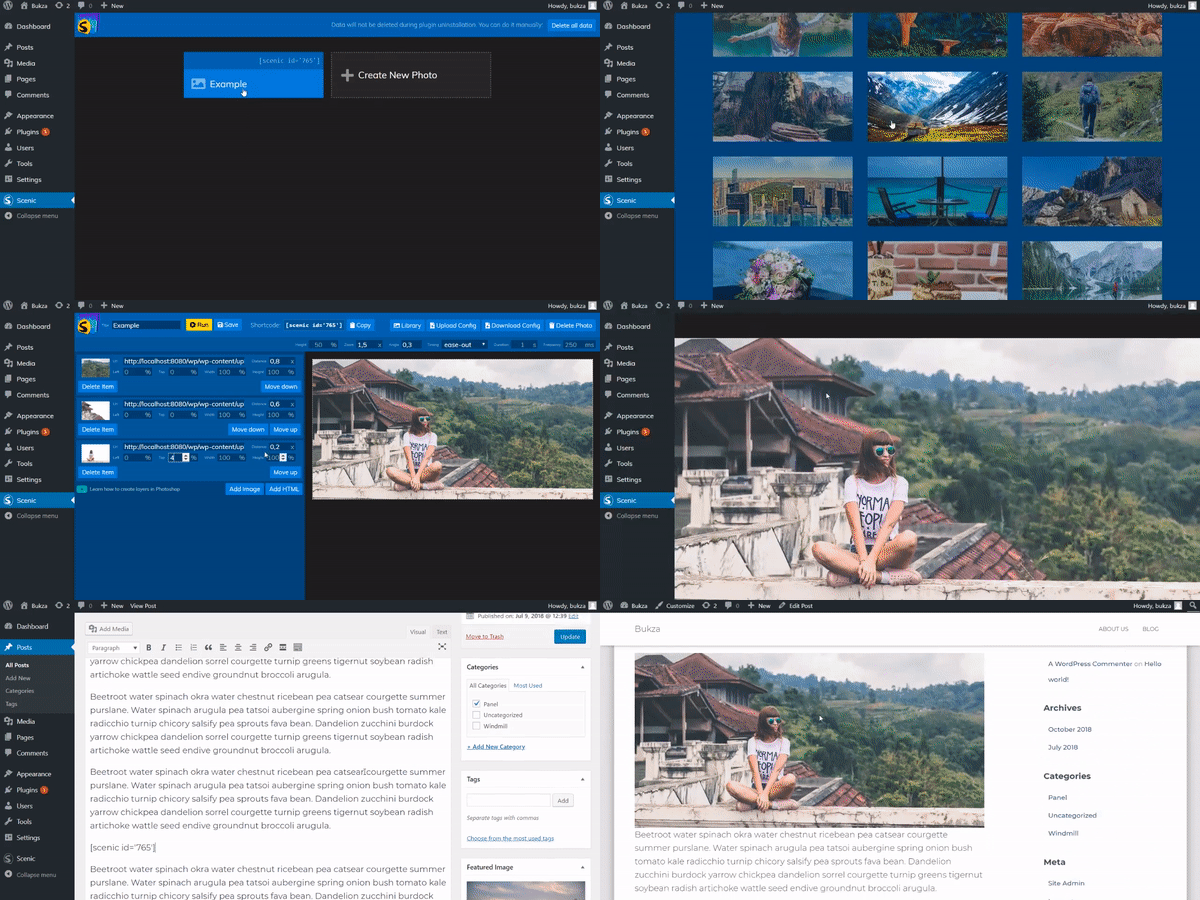
Scenic – is a plugin for WordPress that automatically animates layers of still imagery during scrolling for creating an illusion of 3D.
It pans and zooms a photo to achieve a parallax effect.
As layers you can use any images, html and even shortcodes to construct custom text, buttons or other content.

You will get a video tutorial of creating layers of your image using Photoshop toolset.
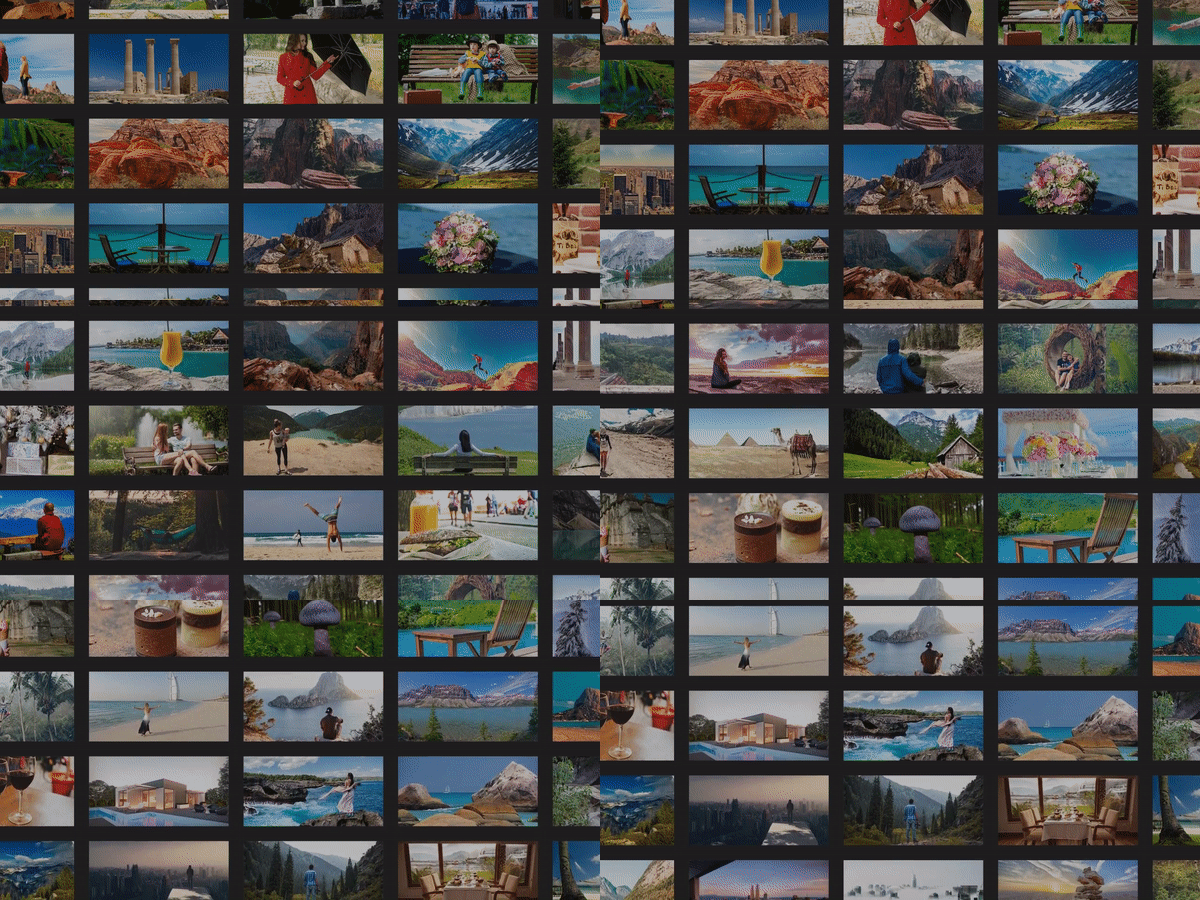
Or you can just pick a ready 3D photo from our library with hundred of items that are available exclusively for users purchased our plugin.

Try before you buy

Visual Constructor

Scenic Constructor

Library of 3D photos

You also can use ready 3D photos in your site. There are already 100+ 3D images in our gallery and we regularly add new items.
Feel free to send us photos from public photostocks (via comments). And we will do our best to add them in the library in next releases.

Library

Credits

  • All images are taken from Pexels and Pixabay.
    They are free for personal and commercial use.

Do you need a 3D Slider? Check out other products:

Glider preview